
💻 PC
📦 1.20GB
📅 2026
56 views
Medieval: Total War
Medieval: Total War is a classic strategy game where players command kingdoms, manage empires, and fight large-scale real-time battles across medieval Europe.
About This Game
Medieval: Total War is a grand strategy game that combines turn-based empire management with real-time tactical battles set during the Middle Ages. Players lead powerful medieval factions, expanding their kingdoms through warfare, diplomacy, trade, and political strategy.
On the campaign map, players manage cities, armies, and resources while navigating alliances and rivalries. When battles begin, the game shifts to real-time combat where thousands of soldiers, cavalry, and siege units clash on detailed battlefields.
The game features historically inspired factions, units, and events, offering deep strategic gameplay and replayability. As one of the early titles in the Total War series, Medieval: Total War laid the foundation for the franchise’s signature blend of strategy and large-scale warfare.
Screenshots
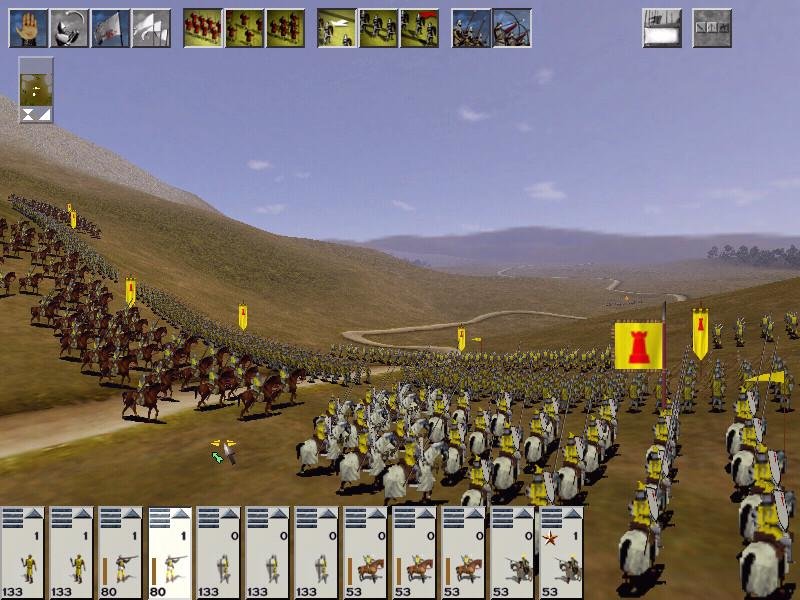
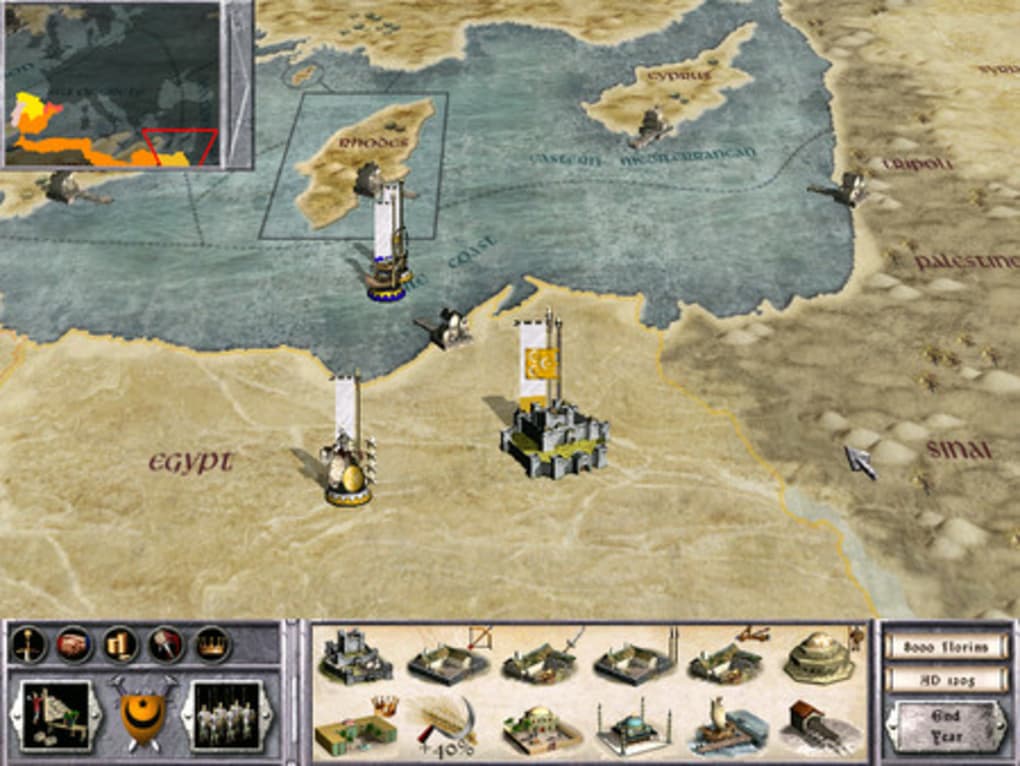
Official Trailer
System Requirements
OS *: Vista, Windows 7
Processor: 1 Ghz or faster processor
Memory: 512 MB RAM
Graphics: DirectX 9.0c graphic card
DirectX: Version 9.0c
Storage: 2 GB available space
Additional Notes: Microsoft no longer supports Windows 10 or older versions.
Processor: 1 Ghz or faster processor
Memory: 512 MB RAM
Graphics: DirectX 9.0c graphic card
DirectX: Version 9.0c
Storage: 2 GB available space
Additional Notes: Microsoft no longer supports Windows 10 or older versions.
OS *: Windows 7, Windows 8
Processor: 1 gigahertz (GHz) or faster 32-bit (x86) or 64-bit (x64) processor
Memory: 2 GB RAM
Graphics: DirectX 9.0c graphics device with WDDM 1.0 or higher driver
DirectX: Version 9.0c
Storage: 2 GB available space
Additional Notes: 1 gigabyte (GB) RAM (32-bit) or 2 GB RAM (64-bit). Microsoft no longer supports Windows 10 or older versions.
Processor: 1 gigahertz (GHz) or faster 32-bit (x86) or 64-bit (x64) processor
Memory: 2 GB RAM
Graphics: DirectX 9.0c graphics device with WDDM 1.0 or higher driver
DirectX: Version 9.0c
Storage: 2 GB available space
Additional Notes: 1 gigabyte (GB) RAM (32-bit) or 2 GB RAM (64-bit). Microsoft no longer supports Windows 10 or older versions.
How to Install
1
Download all parts to the same folder
2
Extract using 7-Zip or WinRAR
3
Run setup.exe as Administrator
4
Follow the installation wizard
5
Launch the game from the desktop shortcut
Game Details
Category
Strategy
Size
1.20GB
Views
56
Downloads
151
Published
Jan 24, 2026
Updated
Oct 02, 2026
Comments (0)
to join the discussion