
💻 PC
📦 4.72GB
📅 2026
192 views
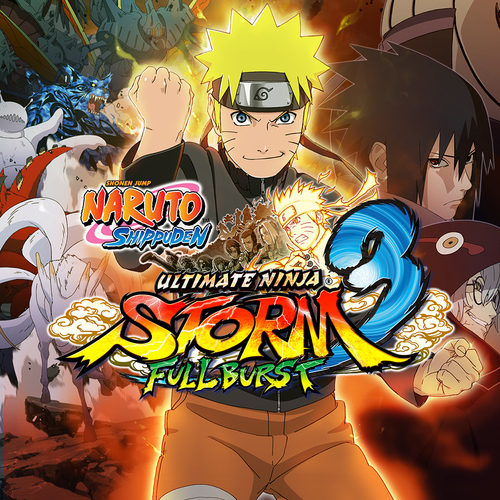
NARUTO SHIPPUDEN: Ultimate Ninja STORM 3 – Full Burst HD
NARUTO SHIPPUDEN: Ultimate Ninja STORM 3 Full Burst HD delivers intense ninja battles, cinematic boss fights, and an expanded story from the Fourth Great Ninja War.
About This Game
NARUTO SHIPPUDEN: Ultimate Ninja STORM 3 Full Burst HD is the enhanced edition of Ultimate Ninja STORM 3, featuring improved HD visuals, additional content, and refined gameplay. The game follows the early stages of the Fourth Great Ninja War, allowing players to relive major events from Naruto Shippuden through dramatic story missions and epic boss battles.
This edition introduces Kabuto (Sage Mode) as a playable character, along with new costumes, extended story chapters, and improved cutscenes. The fast-paced arena combat system lets players perform powerful jutsu, awakenings, substitutions, and team-based ultimate attacks in beautifully animated environments.
With a large roster of characters, local and online multiplayer modes, and anime-accurate presentation, Ultimate Ninja STORM 3 Full Burst HD is a must-play for Naruto fans who want an action-packed and story-rich ninja fighting experience.
Screenshots

Official Trailer
System Requirements
OS: Windows 7 (64-bit) or newer (Steam version requires Windows 10+)
Processor: Intel Core 2 Duo 3.0GHz or AMD Athlon 64 X2 Dual Core 6400+ 3.2GHz
Memory: 2 GB RAM
Graphics: 512MB Video Card (Pixel Shader 4.0, Geforce 8xxx/ATI HD2xxx) or 1024MB Video Card (DirectX 11 compatible for HD version)
DirectX: Version 9.0c (or 11 for HD)
Storage: 8 GB (or 23 GB for Steam HD) available space
Sound: DirectX sound device
Processor: Intel Core 2 Duo 3.0GHz or AMD Athlon 64 X2 Dual Core 6400+ 3.2GHz
Memory: 2 GB RAM
Graphics: 512MB Video Card (Pixel Shader 4.0, Geforce 8xxx/ATI HD2xxx) or 1024MB Video Card (DirectX 11 compatible for HD version)
DirectX: Version 9.0c (or 11 for HD)
Storage: 8 GB (or 23 GB for Steam HD) available space
Sound: DirectX sound device
Processor: 2.3 GHz Quad Core or AMD equivalent
Memory: 8 GB RAM
Graphics: 1024 MB VRAM (DirectX 10 GPU, Pixel Shader 4.0)
Storage: 8 GB available space
Memory: 8 GB RAM
Graphics: 1024 MB VRAM (DirectX 10 GPU, Pixel Shader 4.0)
Storage: 8 GB available space
How to Install
1
Download all parts to the same folder
2
Extract using 7-Zip or WinRAR
3
Run setup.exe as Administrator
4
Follow the installation wizard
5
Launch the game from the desktop shortcut
Game Details
Category
Action
Size
4.72GB
Views
192
Downloads
195
Published
Jan 17, 2026
Updated
Oct 01, 2026

Comments (0)
to join the discussion