
💻 PC
📦 9.88 GB
📅 2025
4,957 views
Call of Duty Modern Warfare 2 (2009)
The story of Call of Duty: Modern Warfare 2 follows Task Force 141 as they combat a global threat posed by the Russian ultranationalist Vladimir Makarov, leading to a full-scale war between the United States and Russia.
About This Game
Set five years after the events of Call of Duty 4: Modern Warfare, the game begins with a series of terrorist attacks orchestrated by Makarov, a former associate of the deceased antagonist Imran Zakhaev. The narrative unfolds through the perspectives of several characters, primarily focusing on Task Force 141, a multinational special forces unit led by Captain John "Soap" MacTavish and Lieutenant General Shepherd.
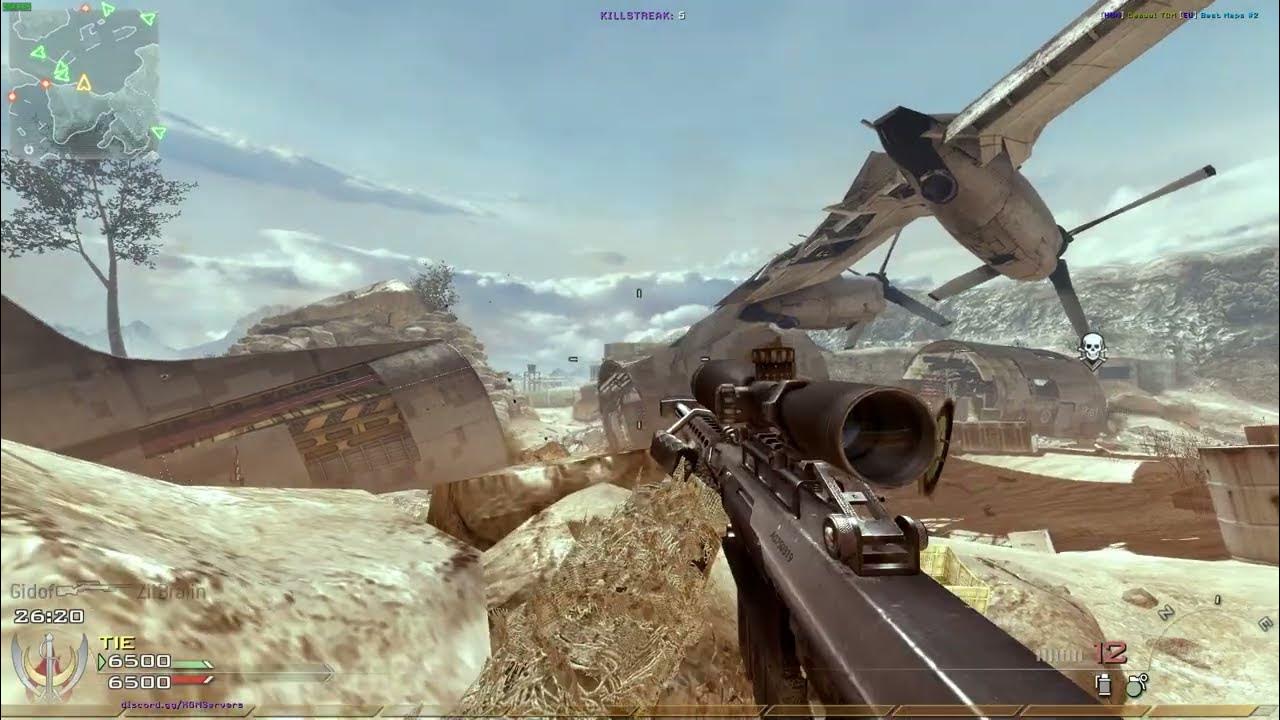
Screenshots


System Requirements
OS *: Microsoft Windows XP or Windows Vista (Windows 95/98/ME/2000 are unsupported)
Processor: Intel Pentium 4 3.2 GHz or AMD Athlon 64 3200+ processor or better supported
Memory: 1 GB RAM
Graphics: 256 MB NVIDIA GeForce 6600GT or better or ATI Radeon 1600XT or better
DirectX®: Microsoft DirectX(R) 9.0c
Hard Drive: 12GB of free hard drive space
Sound: 100% DirectX 9.0c compatible sound card
Internet: Broadband connection and service required for Multiplayer Connectivity. Internet Connection required for activation.
Co-op/Multiplayer Hosting: To host Co-op or MP matches, a 2Ghz dual-core or better processor is recommended.
* Starting January 1st, 2024, the Steam Client will only support Windows 10 and later versions.
Processor: Intel Pentium 4 3.2 GHz or AMD Athlon 64 3200+ processor or better supported
Memory: 1 GB RAM
Graphics: 256 MB NVIDIA GeForce 6600GT or better or ATI Radeon 1600XT or better
DirectX®: Microsoft DirectX(R) 9.0c
Hard Drive: 12GB of free hard drive space
Sound: 100% DirectX 9.0c compatible sound card
Internet: Broadband connection and service required for Multiplayer Connectivity. Internet Connection required for activation.
Co-op/Multiplayer Hosting: To host Co-op or MP matches, a 2Ghz dual-core or better processor is recommended.
* Starting January 1st, 2024, the Steam Client will only support Windows 10 and later versions.
No recommended requirements listed.
How to Install
1
Download all parts to the same folder
2
Extract using 7-Zip or WinRAR
3
Run setup.exe as Administrator
4
Follow the installation wizard
5
Launch the game from the desktop shortcut
Game Details
Category
Action
Size
9.88 GB
Views
4,957
Downloads
2,287
Published
Dec 23, 2025
Updated
Oct 04, 2026

Comments (0)
to join the discussion